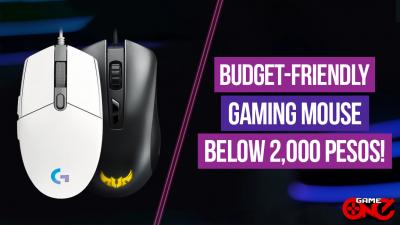


Choosing a gaming mouse is a lot like picking out the right pair of eyeglasses you need something that feels natural, fits comfortably, and matches your personal style. With so many features and options available, it’s important to understand what to look for before making a decision.
A computer mouse is a device used to control the pointer on a screen by moving it across a flat surface. It enables users to interact with a computer's graphical interface through actions like clicking, pointing, dragging, and scrolling.
This article is designed to help you navigate the key factors in choosing a gaming mouse that suits your needs. We’ll cover essential features like DPI, IPS, form factor, programmable buttons, polling rate, build quality, battery life, switch type, and switch lifespan.
Additionally, you'll learn about the different types of mice, including wired vs. wireless, and the differences between optical and laser sensors. Let’s dive in and find out what kind of mouse will best support your gaming performance.
Key Features and Speculations: Everything You Need to Know
1. DPI (Dots Per Inch) refers to the sensitivity of a mouse sensor and measures how much the cursor moves on screen in relation to physical movement. Understanding DPI is essential for gamers, as it allows them to fine-tune their mouse sensitivity to match their gameplay style.
Different games may require different DPI levels. For instance, players who favor quick reactions and fast cursor movements common in fast-paced games often benefit from a higher DPI. On the other hand, those who prefer precision and controlled aiming, such as in tactical shooters, may find a lower DPI more suitable. High DPI settings typically begin around 800, while low DPI settings usually start at 400
Have you ever heard about CPI? Is this the same in DPI? Let's figure it out
DPI vs CPI
CPI (Counts Per Inch) measures how many individual steps or counts the mouse sensor detects for every inch of physical movement; essentially it reflects the resolution of the sensor itself.
DPI (Dots Per Inch) indicates how many pixels the cursor moves on the screen for each inch the mouse is moved.
CPI and DPI both describe how far the cursor goes in response to a single inch of mouse movement. While DPI is often used, CPI is a more accurate way to measure a mouse sensor's precision.
It is advisable to set your DPI between 800 and 1600 and fine-tune in-game sensitivity to fit your playstyle when gaming. When choosing the best settings, keep the type of game and your display in consideration.

Logitech G502 X
2. IPS (Inches Per Second) indicates the maximum speed at which a mouse sensor can accurately track movement. A higher IPS rating means the mouse can handle quick swipes and rapid movements without losing accuracy. A high IPS number might look good, but its relevance depends on your actual mouse usage.
 Razer Cobra Lightweight RGB Wired Gaming Mouse
3. Mouse Acceleration is a feature that adjusts the cursor’s movement based on how fast you move the mouse. The quicker the movement, the farther the cursor travels on screen. While this can be useful for general tasks, most gamers choose to disable acceleration because it leads to inconsistent cursor behavior, which can hinder precision in gameplay.
How to Disable Mouse Acceleration:
Disabling mouse acceleration depends on your operating system. You can typically find this setting in the Control Panel or System Preferences under the mouse or pointer settings.
4. FORM FACTOR (Ambidextrous vs. Ergonomic Mice)
The comfort and usability of a mouse are influenced by its size, shape, and design. Selecting the appropriate fit is made easier by knowing your preferred grip style palm, fingertip, or claw. Ergonomic and ambidextrous mice are important design types.
Ambidextrous vs. Ergonomic Mice
Ambidextrous mice are designed for comfortable use by both right- and left-handed individuals, typically featuring a symmetrical design. This allows users to operate the mouse with either hand without needing to adjust the grip or flip the device. Ambidextrous mice are well-suited for gamers and general users alike, providing versatile grip options, bilateral hand support, and customizable controls. Ambidextrous mice generally tend to be lighter than ergonomic counterparts.
Ergonomic mice prioritize user comfort and the reduction of strain by promoting a natural hand posture. These devices are designed with anatomical considerations to support prolonged use while minimizing fatigue and wrist discomfort. Ergonomic mice often feature a sloped design that encourages a more natural hand position, helping to relieve stress on the wrist and reducing hand fatigue. Typically heavier than ambidextrous mice, ergonomic models are particularly well-suited for users employing palm or claw grips.
Your grip style is a crucial factor in determining the most suitable mouse design. For individuals who prefer a palm grip and value stability, an ergonomic mouse is recommended. Conversely, users whose palms minimally contact the mouse may find a low-profile ambidextrous mouse more fitting. The shape and design of your mouse play a crucial role in ensuring comfort and optimizing performance during use.


Razer Basilisk V3 Logitech G502 Hero
Ergonomic Mouse Ambidextrous Mouse
5. Programmable Button - A gaming mouse with programmable buttons allows users to personalize functionality for better performance. It provides quick access to in-game operations such as switching weapons or applying skills, which improves efficiency and performance. This customisation allows for greater control, faster response times, and a more personalized gaming experience. Gaming mouse with programmable buttons provide superior control and responsiveness, allowing users to modify commands for faster in-game activities and a more unique gaming experience.
6. Polling Rate The polling rate, measured in Hz, is the frequency at which a mouse communicates its position to the computer. Higher rates (e.g., 1000 Hz) result in smoother, more responsive movement, which is critical for competitive gaming. The sort of game you play determines the optimal polling rate.
7. Build Quality, Shape and Weight
Many factors influence mouse selection, including weight, size, and style. The weight of a gaming mouse has a significant and complex impact on how well you play games. A heavier mouse improves stability and accuracy because it feels more substantial. Because a lighter gaming mouse promotes speed and agility, gamers choose it for fast-paced activities.
Weight
Light mice weigh less than 80 grams.
Heavy mice weigh above 120 grams.
Style
Grip styles describe how players hold their mouse. The three most common grips are palm, claw, and fingertip.
Palm: The mouse makes substantial contact with the palm and fingers.
Claw: The curled claw-like grip of the fingers allows for quick, accurate clicks and easy button access.
Fingertip: There is no palm contact; only the fingertips touch the mouse.
However, regardless of its shape or uniqueness, the most important thing is to hunt for a mouse that fits well in your palm; comfort comes before style.

8. Mouse Lifespan and Switch Lifecycle
A gaming mouse can last from one to more than ten years, depending on usage and upkeep. Moderate users may see their mouse endure for over a decade, however avid players may wear it out in 1-2 years. Cleaning habits, handling, and the type of switches used all have an impact on longevity; mechanical switches typically last 20-80 million clicks, while optical switches can last more than 100 million. Finally, the way you use and care for your mouse influences its lifespan.
9. Switch Type
There are two types of mouse switches: optical and mechanical.
Optical mice employ an LED and a sensor to provide fast, precise tracking, which is perfect for competitive gaming.
Mechanical mice use a rolling ball to detect movement. They are more durable and cost-effective, but are less accurate.
Optical mice provide outstanding performance and accuracy, while mechanical mice are ideal for a vintage feel with less maintenance.
Both are appropriate for casual gaming and general use.
(Picture of Optical and Mechanical)
Types of Computer Mouse
Wired mice connected by USB are often less expensive and lighter, however they are less portable and have a limited range due to the cable. They are incredibly dependable, quick, and easy to use; simply plug and play, with no batteries or connection issues. Wired mice remain slightly faster, modern wireless mice are nearly as responsive.
Wireless mice use Bluetooth, are more expensive, more portable, and can be used from up to 30 feet away. They provide more freedom of mobility, eliminate office clutter, and are compatible with laptops and tablets. A wireless gaming mouse may be the best option for you if you value portability and versatility. Especially now that it's portable and accessible. Modern wireless mice are extremely responsive, performing virtually identically to wired versions, even when gaming.
Both have advantages and disadvantages, and modern wireless mice may often match wired performance. Choose your mouse based on where you want to use it or the type of game you're playing.


Logitech G502 x plus Razer Cobra
Wireless Mouse Wired Mouse
An optical mouse uses a light-emitting diode (LED) to illuminate the surface beneath it, while an optical sensor detects the reflected light. The sensor then examines these images to detect movement, which is converted into cursor movements on your computer screen. The mouse then uses an image sensor to measure the movement of the reflected light.
A laser mouse illuminates the surface using a laser diode rather than an LED. The laser light is more focused and precise, resulting in higher sensitivity and smoother tracking. Laser mice use lasers, which enable superior performance on a wide range of surfaces.
Both optical and laser mice are commonly used in offices, schools, and for general purposes. Your individual requirements will determine the best mouse for you. If you're on a tight budget and require dependable tracking, an optical mouse is an excellent choice. Laser mice are popular in gaming due to their high sensitivity and precise tracking, however many players find optical mice to be effective, depending on their tastes and play style.
Different Case Materials of Gaming Mouse
Magnesium Alloy
A lightweight metal with a proven track record for strength, heat conductivity, and structural support. It is commonly used to improve durability and heat management in internal structures, bottom plates, and even the complete shell.
 Example of Magnesium Alloy Gaming Mouse
Carbon Fiber
Premium mice achieve a balance between toughness and weight by being both exceptionally durable and lightweight. Carbon fiber provides high strength at a low weight, which is a significant design advancement for mice. Available materials include standard weave, forged carbon, and reinforced plastic.

Example of Carbon Fiber Mouse
High-Grade Plastics
Budget and mid-range mice typically use ABS (Acrylonitrile Butadiene Styrene), a highly durable and competitively priced polymer material. On the other side, polycarbonate is well-known for its heat resistance and transparency.

Example of High Grade Plastics
Price
When choosing a mouse based on pricing, you must find a balance between cost and capabilities required. If you need a mouse for daily tasks, a low-cost option may serve. However, for professional gaming, which requires higher DPI and enhanced features, a more expensive device should be considered. Mouse prices vary based on features, build quality, durability, and brand. While brand awareness might be useful, focusing on the specifications and features that fit your needs is the most effective way to choose the ideal mouse.
Recommendation

Logitech G Pro X Superlight
Our lightest and fastest PRO mouse ever, weighing only 63g, has LIGHTSPEED wireless and the HERO 25K sensor for ultra-precise, lag-free performance.
Max Speed: 400 IPS (Inches Per Second)
Resolution (DPI Range): 100 – 25,600 DPI
Wireless Technology: LIGHTSPEED wireless
POWERPLAY Compatible: Yes
Onboard Memory: Yes
Click Tensioning System: Included
Feet:No-additive PTFE for smooth glide
Buttons: 5 programmable buttons

Logitech G502 Hero Gaming Mouse
HERO is Logitech's most accurate sensor, designed from the ground up for the next generation of precision and elite-level responsiveness. The G502 HERO is designed for competitive gaming, delivering great accuracy, speed, and consistency.
Weight: 121 grams (mouse alone).
DPI Range: 100–25,600
Maximum Acceleration: >40 G.
Maximum speed: >400 IPS.
USB Report Rate: 1000 Hz (1 millisecond reaction time)

Logitech G600 MMO USB Laser Gaming Mouse
Weight: 133 grams.
Sensor: Laser.
DPI range: 200 to 8,200.
Maximum acceleration: 25 G.
Maximum Speed: 160 IPS (inches per second).
Polling rate: 1000 Hz (1 ms response time).
USB speed: full-speed.
Designed for MMO gamers, the G600 has accuracy laser tracking and quick response times to handle intensive gameplay with ease.
Conclusion
Choosing the best gaming mouse is more than just looking beautiful; it's also about finding a device that matches your specific needs, gameplay style, and comfort preferences. Each piece contributes to your overall experience, from crucial features like DPI, IPS, polling rate, and programmable buttons to important design considerations such as shape, weight, switch type, and lifetime. Whether you like wired or wireless, optical or laser, ergonomic or ambidextrous, the best mouse is one that feels comfortable in your hand, supports your gameplay, and is reasonably priced. Taking these aspects into consideration and focusing on what is most important to you will allow you to make an informed decision while also improving your well-being and efficiency throughout longer gaming sessions.